Smart RV Cybersecurity: Protecting Your Off-Grid Network in 2026
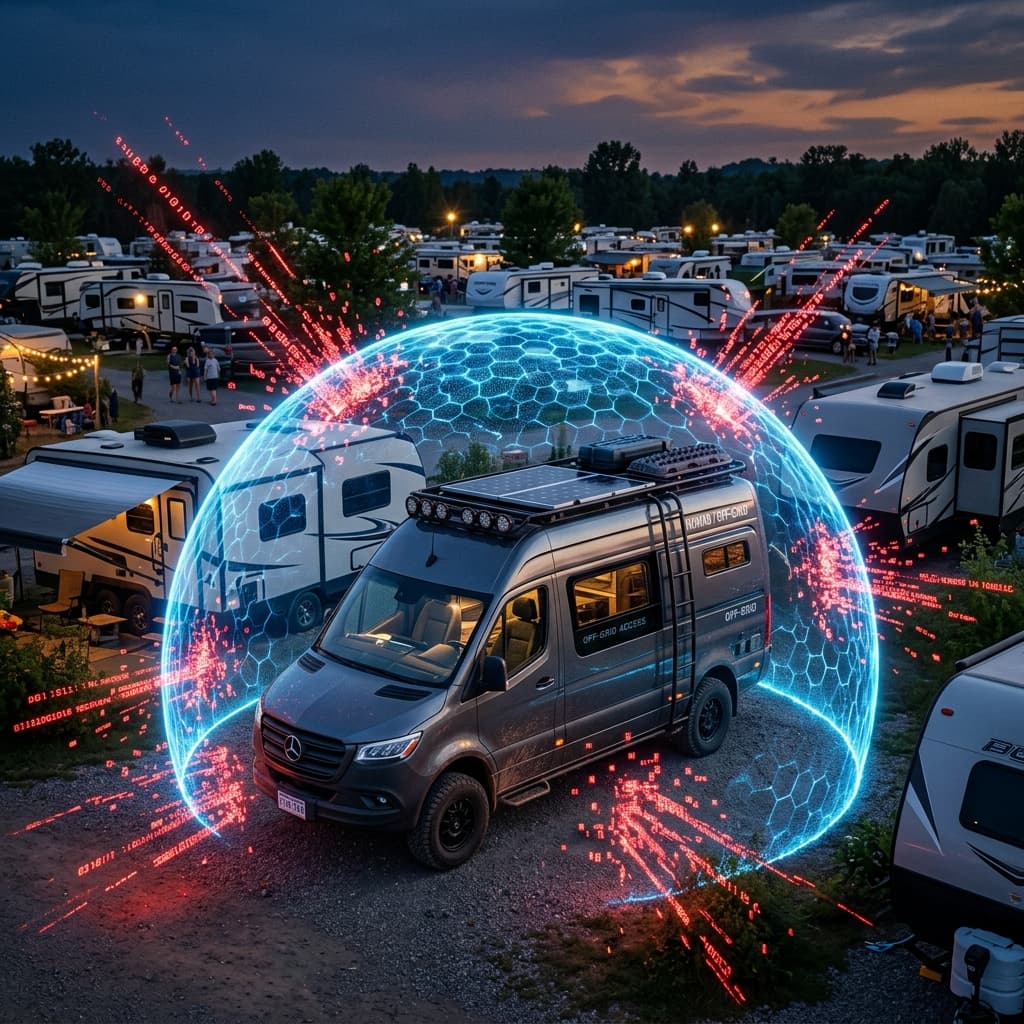
As we digitize the boondocking experience, we effectively drive glass houses into the wilderness. Modern luxury RVs operate as rolling data centers, fully reliant on cloud interconnectedness. Consequently, cybersecurity is no longer a luxury reserved for tech giants; it is an absolute necessity to prevent bad actors from unlocking your doors or remotely shutting down your inverter in the middle of the night. This comprehensive security audit examines the threat landscape, attack vectors, and defense-in-depth strategies essential for the 2026 connected nomad.
The reality of the 2026 nomading ecosystem is hyper-connectivity. High-speed, low-latency broadband is persistently beamed down from Starlink constellations. Sophisticated energy architectures like Victron Energy's VRM portal grant us the miraculous ability to flick relays, monitor solar input, and automate water tank heating straight from a smartphone miles away. Smart locks from RVLock or Lippert allow keyless entry and remote guest access. Even the leveling jacks and slide-outs on high-end coaches can be controlled via a mobile app. But this convenience comes at a terrifying cost: unchecked vulnerability. Every connected device is a potential entry point for a malicious actor. The question is no longer *if* someone will try to probe your network, but *when* and *how prepared you are* to repel them.
Unlike a stationary home, an RV constantly changes its network environment. One night you're on public campground Wi-Fi, the next you're tethering to a coffee shop hotspot, and by the weekend you're relying solely on Starlink. Each environment carries unique risks. This mobility demands a security posture that is both robust and adaptable, one that assumes every external network is hostile and treats every inbound connection with suspicion. Let's dissect the specific threats and, more importantly, the actionable countermeasures that will keep your digital fortress secure while you chase the horizon.
The Attack Surface: Why Your RV is a Target
To understand the defense, we must first map the attack surface. A typical 2026 smart RV contains a constellation of interconnected devices, each running its own firmware and communicating over various protocols. The primary components include:
- Internet Gateway: Starlink terminal, Pepwave cellular router, or campground Wi-Fi repeater. This is the primary bridge between your internal network and the outside world.
- Energy Management System: Victron Cerbo GX, EG4 monitoring hub, or Firefly Integrations panel. These devices control inverters, solar chargers, and battery monitors.
- Smart Home Hub: Home Assistant, Hubitat, or proprietary RV control systems (Lippert OneControl, RVIA RV-C gateways). These manage lighting, climate, and security.
- IoT Sensors and Actuators: Tank level monitors, temperature sensors, smart locks, and relay modules. Often using Zigbee, Z-Wave, or proprietary 433MHz RF.
- Personal Devices: Laptops, phones, tablets, and smartwatches that connect to the RV's network and often contain sensitive personal and financial data.
Each of these devices represents a potential vulnerability. A compromised smart lock could grant physical access to the RV. A manipulated Cerbo GX could overcharge the lithium battery bank, causing a thermal event or permanently damaging thousands of dollars in equipment. A hacked router could silently redirect your banking traffic to a spoofed website, stealing login credentials. The consequences range from inconvenient to catastrophic.
The Menace of the Crowded RV Park: Public Wi-Fi Perils
The primary threat vector rarely occurs when isolated in the deep desert. It materializes in high-density, expensive RV resorts. Hundreds of massive mobile networks converge, overlapping Wi-Fi signals in a congested soup. Unscrupulous individuals deploying cheap "packet sniffers" or utilizing readily available Kali Linux tools can passively monitor unencrypted data flowing across public park Wi-Fi, the exact Wi-Fi array your "Smart Camper" might be repeating to save cellular bandwidth.
This attack is commonly known as a "Man-in-the-Middle" (MitM) exploit. The attacker sets up a rogue access point with the same name as the campground's legitimate Wi-Fi (e.g., "KOA_Guest_WiFi"). Your RV's router, configured to automatically connect to known networks, may inadvertently connect to the malicious twin. Once connected, the attacker can inspect every unencrypted packet you send, including HTTP traffic to websites that haven't implemented HTTPS properly, or unencrypted API calls from older IoT devices. Even worse, they can inject malicious code into the websites you visit, or redirect your Victron VRM login page to a fake portal designed to harvest your credentials.
Another insidious threat is "ARP Spoofing" within the local network segment. In a typical campground Wi-Fi setup, all connected devices are on the same flat network (e.g., 192.168.1.0/24). An attacker can send forged Address Resolution Protocol (ARP) messages to associate their MAC address with the IP address of the gateway router. This tricks your devices into sending all internet-bound traffic through the attacker's machine, where it can be logged, modified, or blocked. This attack is trivial to execute with freely available tools and can be devastating if your smart home devices are communicating with cloud services over unencrypted channels.
🔓 Common IoT Vulnerabilities in RVs
- • Default Credentials: Leaving gateways like the Cerbo GX accessible via Bluetooth using default "000000" PINs allows anyone parked near your rig to modify charging curves or disable the inverter.
- • Unsecured Home Assistant: Exposing an unencrypted local instance (port 8123) to the broader internet for remote access via port forwarding opens backdoors straight to your camper's physical locks and automation scripts.
- • Telnet & FTP Services: Many older IP cameras and NVRs used in RV security systems still run Telnet or FTP servers with hardcoded credentials. These are trivial to exploit and can provide a foothold into the network.
- • UPnP (Universal Plug and Play): Enabled by default on many consumer routers, UPnP allows devices to automatically open ports in the firewall. Malware inside your network can use UPnP to expose internal services to the public internet without your knowledge.
🛡️ Foundational Mitigation Strategies
- • VLAN Segmentation: Divide your internal network into isolated broadcast domains. Guest Wi-Fi goes to your phones; a hidden, totally isolated SSID handles your critical solar and automation nodes.
- • Hardware Firewalls: Integrating rugged 12V travel routers (like Peplink or Cradlepoint systems) provides enterprise-level Stateful Packet Inspection (SPI) firewalls shielding you from the rest of the park.
- • Mandatory VPN Tunnels: Force all traffic leaving the RV through an encrypted VPN tunnel to a trusted endpoint (your home network or a reputable VPN provider). This renders MitM attacks ineffective.
- • Regular Firmware Audits: Subscribe to CVE (Common Vulnerabilities and Exposures) alerts for your specific hardware. A single unpatched router firmware is all it takes to compromise the entire network.
The Starlink Bypass Attack & Router Hardening
Widespread adoption has turned Starlink routers into attractive, standardized targets. The default Starlink router broadcasts a specific SSID pattern (e.g., "STARLINK" or "STINKY") and uses a weak default Wi-Fi password generation algorithm in older firmware. Simply burying your dish configuration behind a generic password represents poor hygiene. Savvy tech-nomads explicitly deploy "Bypass Mode," effectively castrating the default Starlink router functionality and routing the raw internet influx directly into a highly secured, third-party robust router armed with strict zero-trust protocols and forced VPN tunnels.
How to Properly Configure Starlink Bypass Mode: The Starlink dish provides a standard Ethernet connection via its proprietary cable and a Starlink Ethernet Adapter (or built-in on newer Gen 3 dishes). By enabling Bypass Mode in the Starlink app, the internal Wi-Fi router is disabled entirely. The dish acts purely as a modem, handing a public (or CGNAT) IP address directly to the WAN port of your own router. Your personal router, ideally a Pepwave MAX BR1 Pro 5G or a pfSense appliance running on a Protectli vault, then handles all firewall rules, DHCP, and VLAN segmentation. This removes Starlink's firmware from the security equation entirely and gives you complete control over your network perimeter.
Beyond Starlink, your travel router itself must be hardened. Disable WPS (Wi-Fi Protected Setup), it's a known vector for PIN brute-forcing. Disable remote administration (WAN-side admin access). Change the default admin password to a complex, unique passphrase stored in a password manager. Enable automatic firmware updates, or at least check for updates monthly. For advanced users, consider flashing your router with open-source firmware like OpenWrt, which provides enterprise-grade features and transparency, though it requires a steeper learning curve.
Bluetooth Low Energy (BLE) and Local Radio Attacks
Not all threats come from the internet. Many smart RV components, battery monitors, tank sensors, and smart locks, communicate via Bluetooth Low Energy (BLE) or proprietary 433MHz RF. These local radio protocols have their own set of vulnerabilities.
The Victron Cerbo GX, for example, broadcasts its presence via BLE for easy setup via the Victron Connect app. By default, the PIN for accessing settings is "000000". If you haven't changed this, anyone with the Victron Connect app on their phone can stand within 30 feet of your RV and change your inverter's AC input limit, disable the charger, or even modify the low-voltage disconnect threshold, potentially damaging your battery bank. Immediate Action: Open Victron Connect, navigate to the Cerbo GX settings, and change the Bluetooth PIN to a strong, unique 6-digit code. This simple step locks out unauthorized configuration changes.
Similarly, many RV keyless entry systems use rolling codes, but older or cheaper implementations are vulnerable to "Replay Attacks" or "RollJam" devices. An attacker with a Software Defined Radio (SDR) like the HackRF One can capture the signal from your key fob when you lock the door and replay it later to unlock the vehicle. While defending against sophisticated SDR attacks is difficult, you can mitigate risk by using a physical secondary lock (a deadbolt or steering wheel lock) and by ensuring your keyless entry system uses a modern, encrypted rolling code protocol (ask the manufacturer if it supports AES-128 encryption).
The 2026 Nomadic Security Checklist: Non-Negotiables
- ✔ Disable External Admin: Turn off external web administration interfaces (WAN access) on all routers immediately after setup. Manage the network only from the internal LAN or via VPN.
- ✔ MAC Address Filtering: On your secondary isolated IoT network, enable MAC address filtering so ONLY your specific pre-approved devices can physically handshake with the router. This prevents a neighbor from simply guessing your Wi-Fi password and joining the IoT network.
- ✔ Update Firmware Aggressively: An unpatched solar charge controller with a known Wi-Fi vulnerability (e.g., a buffer overflow in its web server) is an open invitation. Enable auto-updates on mission-critical gear, or set a recurring monthly calendar reminder to check manufacturer websites.
- ✔ Physical Kill Switches: For the ultimate peace of mind, install a physical, analog cut-off relay to your primary router. When going completely off-grid or sleeping in a high-risk area, killing the network eliminates the remote threat vector instantly. A simple 12V toggle switch on the router's power line is foolproof.
- ✔ Change Default Bluetooth PINs: Immediately change the default PIN on Victron Cerbo GX, Victron SmartSolar MPPTs, and any other BLE-enabled device. Treat BLE range (30-50ft) as a security perimeter.
- ✔ Use a Password Manager: Every device, app, and website should have a unique, complex password. A password manager (Bitwarden, 1Password) is non-negotiable for generating and storing these credentials securely.
Advanced Defense: Zero Trust Networking for the RV
For full-time nomads running businesses from their RVs, or those with significant investments in smart home automation, a "Zero Trust" architecture provides the highest level of security. Zero Trust operates on a simple principle: never trust, always verify. No device or user is trusted by default, even if they are already inside the network perimeter.
Implementing Zero Trust in an RV Context:
- Micro-Segmentation: Use VLANs to create strict boundaries. Your work laptop lives on VLAN 10, which has internet access but cannot communicate with the IoT VLAN 20 where the battery monitor resides. The battery monitor can only talk to the Cerbo GX on VLAN 20 and to the cloud (VRM) on specific ports. Use firewall rules to explicitly define allowed communication paths.
- 802.1X Authentication: For wired Ethernet connections (if you have a complex rack setup), implement 802.1X port-based authentication. A device must provide valid credentials before the switch port is enabled. This prevents someone from simply plugging an unknown device into an open Ethernet jack in your RV's bay and gaining network access.
- Intrusion Detection System (IDS): Run a lightweight IDS like Snort or Suricata on a Raspberry Pi or within your pfSense router. This software monitors network traffic for patterns associated with known attacks (e.g., port scans, exploit attempts) and alerts you in real-time.
- DNS Filtering: Configure your router to use a DNS service that blocks known malicious domains, such as Quad9 (9.9.9.9) or Cloudflare's malware-blocking DNS (1.1.1.2). This prevents devices from accidentally connecting to command-and-control servers or phishing sites.
While Zero Trust requires more technical expertise to configure, it transforms your RV's network from a soft target into a hardened fortress. The investment in time is repaid in peace of mind, knowing that even if one device is compromised, the attacker cannot pivot laterally to access your entire digital life.
The Human Element: Social Engineering and Physical Security
The most sophisticated firewall in the world is useless if a friendly campground neighbor asks, "Hey, what's the Wi-Fi password?" and you happily share it. Social engineering is the art of manipulating people into divulging confidential information or performing actions that compromise security. Be aware of common tactics: someone posing as park staff asking to "inspect your electrical hookup," a stranger admiring your solar setup and asking detailed technical questions about your monitoring system, or an urgent-sounding email claiming your Starlink account has been suspended.
Establish clear protocols for yourself and any travel companions. Never share the primary Wi-Fi password; use a guest network with client isolation enabled. Be skeptical of unsolicited requests for information. Verify the identity of anyone claiming to be official staff by calling the park office directly. And always inspect external connections, a malicious USB charging cable left plugged into your RV's exterior outlet could be a "Rubber Ducky" device designed to inject keystrokes into your system.
Physical security is an integral layer of cybersecurity. Ensure your network equipment is locked in a bay that is not easily accessible. If someone gains physical access to your Cerbo GX or router, they can simply press the reset button and wipe your configurations. Use locking cabinets or security screws to deter casual tampering. A visible security camera (even a dummy one) can also act as a powerful deterrent.
Responding to a Breach: Incident Response on the Road
Despite best efforts, breaches can happen. Having a pre-planned incident response procedure minimizes damage and downtime. If you suspect your network has been compromised:
- Isolate Immediately: Physically disconnect the WAN connection (unplug Starlink or cellular modem). This stops any ongoing data exfiltration or remote control.
- Preserve Evidence: If you have logging enabled (e.g., on a syslog server or within your router), save those logs to a USB drive before rebooting anything. They are crucial for understanding what happened.
- Change All Passwords: From a known clean device (e.g., your phone on cellular data), change the passwords for all critical accounts: Victron VRM, Starlink, email, banking, and any cloud-connected smart home services.
- Factory Reset and Rebuild: Assume the compromised device (router, Cerbo GX, etc.) is permanently tainted. Perform a factory reset and re-flash the latest firmware from the manufacturer's website. Restore configuration from a known good backup (you *do* have backups, right?).
- Monitor for Anomalies: In the weeks following the incident, closely monitor bank statements, credit reports, and account login activity for any signs of identity theft.
Conclusion: Defense in Depth is Mandatory
Cybersecurity in an RV must emulate shipboard integrity. A single puncture should not sink the vessel. By utilizing strong passwords, partitioning your networks with VLANs, deploying hardware firewalls, enforcing VPN tunnels, and refusing to inherently trust public infrastructure, you guarantee that the only person dictating the climate control and battery parameters of your mobile mansion is you. The digital nomad lifestyle offers unparalleled freedom, but that freedom requires vigilance. The time to secure your rolling data center is *before* you hear the click of a smart lock opening at 3 AM with no one at the door.
The investment in a proper security architecture, both in terms of hardware and in the time spent learning these concepts, is an investment in the longevity and safety of your nomadic journey. Don't let a preventable cyber incident ruin the adventure of a lifetime. Harden your digital perimeter, stay informed about emerging threats, and enjoy the peace of mind that comes from knowing your mobile home is as secure as it is comfortable.
Technical Expansion
Deepen your expertise with our most critical recent diagnostic reports.
Winter RVing & Lithium: Survival Guide for Freezing Temps
Technical guide to lithium plating, battery heaters, and low-angle winter solar harvesting.
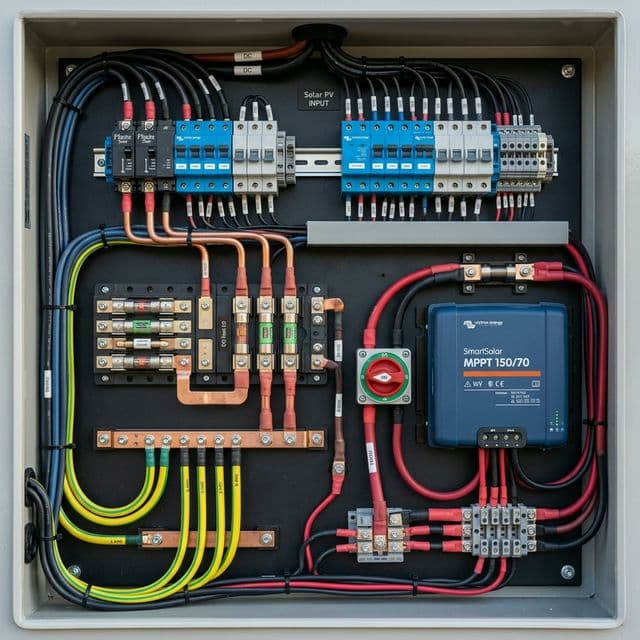
Top 10 RV Solar Mistakes: How to Avoid Burning Your Camper Down
The final word on solar safety: Fusing, grounding, and roof penetration best practices.
The Ultimate Guide to Portable Solar Panels for Van Life (2026 Edition)
technical deep-dive into portable solar technology, including N-Type and Bifacial cell innovations.